
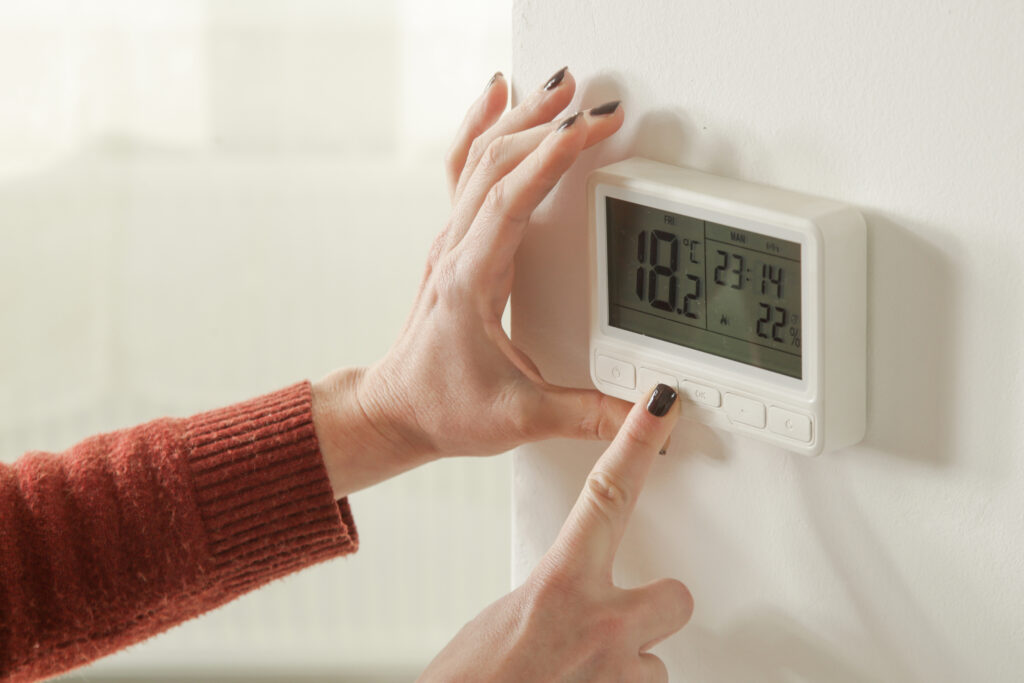
Thermostat Hold Feature Use It Right
Key Takeaways About Thermostat Hold Feature
The thermostat hold feature lets a thermostat keep one set temperature instead of following its schedule. This summary is for homeowners and property managers who use holds and want to avoid comfort or efficiency problems.
- Identify hold icons and unexpected steady setpoints quickly.
- Prevent long holds by using short timed overrides only.
- Avoid extreme setpoints that cause long compressor runtime.
- Spot uneven temperatures odors or unusual system noises early.
- Reduce humidity and recovery spikes by choosing gradual recovery.
- Plan technician visits when holds repeat or equipment shows stress.
Introduction
Many homeowners use the thermostat hold feature without realizing it can raise energy use and wear on equipment. Holding a steady temperature seems convenient during travel or odd schedules. The real problem appears when the system runs longer than needed and cycles differently than programmed. That extra runtime can shorten component life and increase bills over time.
Common signs that a hold is hurting efficiency include constant compressor noise or uneven room temperatures. You might notice the air feels cooler near vents and warmer elsewhere, or the system runs at odd times. These symptoms matter because they point to wasted energy and possible stress on the blower motor or compressor. Early attention keeps your system running predictably and avoids surprises.
Thermostat behavior also affects humidity control and comfort in ways homeowners often miss. Long holds during mild weather can let humidity rise, making spaces feel muggy despite a lower thermostat reading. That change affects indoor comfort and may force the system to run harder later to recover. Recognizing those shifts helps you choose when a hold makes sense and when it does not.
Properties in Hurst, Texas and Keller, Texas often face variable occupancy and schedules that tempt people to use holds frequently. A professional can diagnose whether a hold caused the issue by checking runtime, cycling patterns, and thermostat settings. If you notice unusual sounds or persistent temperature swings, contact an HVAC technician for a clear inspection. Acting early prevents small thermostat habits from becoming bigger equipment problems.
How The Thermostat Hold Feature Works Mechanically
The thermostat hold feature stops scheduled changes and keeps the thermostat at one setpoint until released. Mechanically, the thermostat overrides its internal schedule and sends a continuous call for heating or cooling to the HVAC control board. That call closes the appropriate relay or sends a signal to the furnace or air handler to run until the hold ends. Homeowners often ask if a hold simply pauses the clock, and the answer is no because the system keeps operating based on the held temperature.
- Thermostat sends a continuous call to the system.
- Control board activates the blower or compressor accordingly.
- Indoor fan and outdoor unit run until the hold ends.
- Built-in timers or safety limits may still interrupt runtime.
Inside the thermostat, a microcontroller checks sensor readings and compares them to the held setpoint every few seconds. When the indoor temperature differs from the setpoint, the thermostat energizes the output for heating or cooling. That signal travels through the R, W, Y, and G wiring terminals to the equipment, depending on the mode selected. Understanding those terminals helps homeowners see why holds affect different system components.
A professional diagnosing a suspected hold-related issue first reviews thermostat settings and runtime history if available, then inspects the control board and wiring connections. They take simple readings like voltage at the R terminal and continuity at the call wires while the thermostat is on hold. Technicians also observe blower behavior, check the compressor start and stop cycles, and note any unusual sounds during the held call. This approach confirms whether the thermostat hold feature caused longer runtime or if another component needs repair.
In some programmable and smart thermostats, staging or transition settings change how holds behave during recovery periods, and that can affect comfort and efficiency. For homeowners in Hurst, Texas and those maintaining systems in Keller, Texas, knowing whether a hold triggers staging helps decide when to use it. If you want more detail about staging and comfort transitions, see the guidance on thermostat staging comfort transitions. Knowing the mechanical flow from thermostat to equipment makes it easier to use holds without harming efficiency.
Why Thermostat Hold Feature Reduces Efficiency
When a hold forces the system to stay at one setpoint, it can defeat built-in efficiency cycles that modulate runtime. The HVAC sequence of short cycles and recovery periods breaks down, so compressors run longer than their optimal duty. Longer compressor runtime raises wear on the start components and increases the chance of short-cycling later. That change also makes the system less able to respond to small temperature swings efficiently.
Holds can interfere with humidity control because the equipment no longer follows programmed setbacks that control latent load. Without scheduled recovery, the system may run at times when it cannot remove enough moisture, leaving the home feeling clammy. Excess humidity can make the compressor run more often later to bring conditions back to balance. Technicians look for high runtime and reduced dehumidification when diagnosing hold-related comfort complaints.
Another common effect is uneven airflow and temperature distribution when the blower runs steadier than intended under a hold. Vents near the air handler can feel consistently cooler, while distant rooms stay warmer due to reduced cycling that normally helps mix air. A pro would inspect the supply plenum, return grille placement, and blower motor speed alongside thermostat settings to confirm this pattern. They often record runtime, take static pressure readings, and check blower operation to diagnose the cause.
Thermostat sensor placement and calibration play a role in how damaging a hold can be, especially if the sensed temperature differs from the house average. If the thermostat reads cooler or warmer than the living space, the system will run misleadingly long or short during a hold. A technician may test the internal sensor against a separate thermometer and check wiring and offsets to confirm accuracy. For guidance on checking and adjusting sensor differences, see the thermostat sensor offset guide at thermostat sensor offset guide.
Homeowners in Hurst, Texas and those maintaining properties in Keller, Texas should note that frequent manual holds can hide failing components until damage is clear. Repeated extended runtime masks issues like a weak capacitor or sticky contactor by keeping the unit running constantly instead of revealing gradual failures. A professional inspection that includes capacitor amperage checks and visual contactor inspection will show whether the hold caused stress or simply revealed an existing problem. Catching these signs early avoids larger repairs and preserves system lifespan.
Common Settings That Trigger Unintended Holds
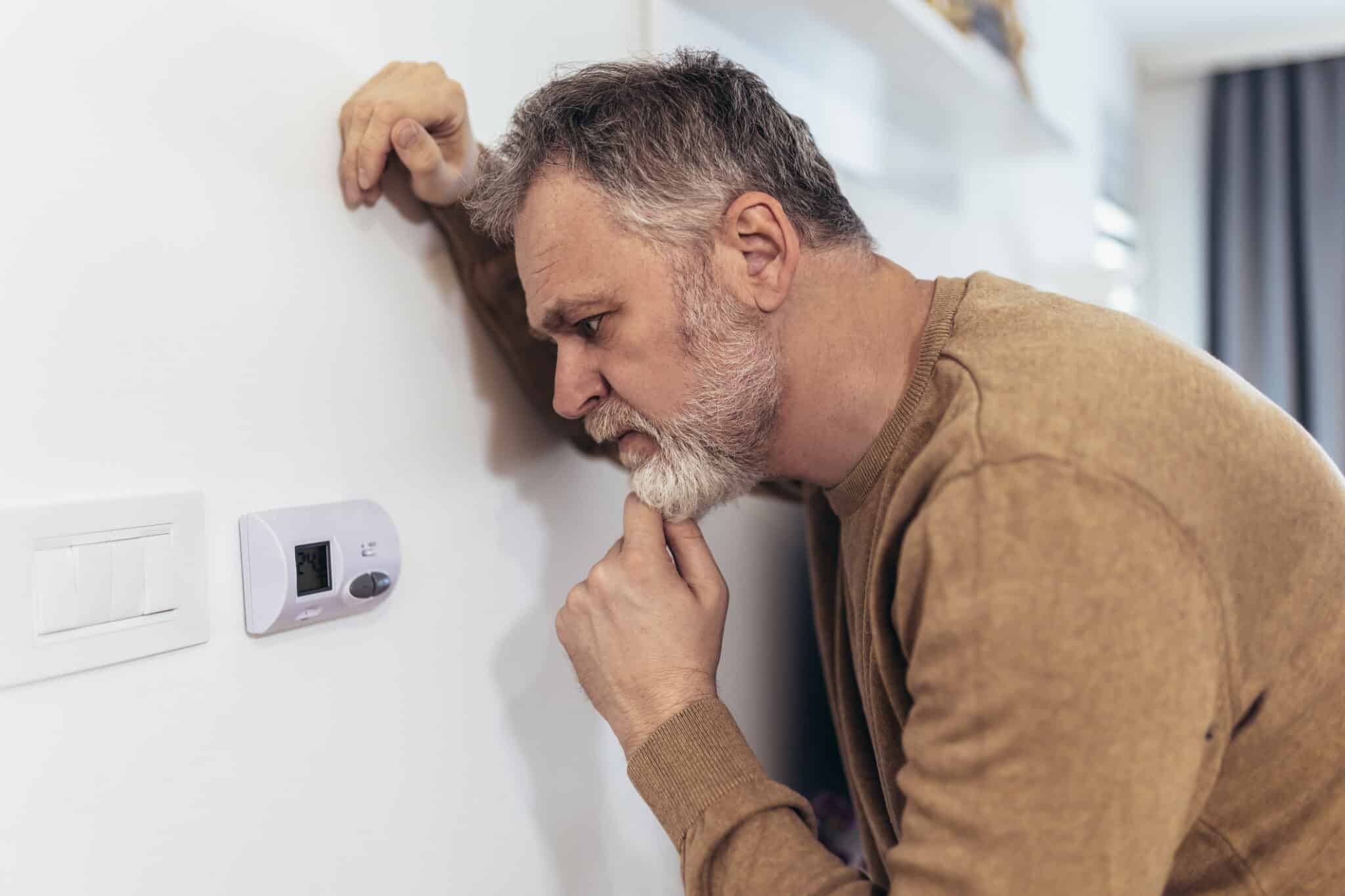
Incorrect temperature offsets or user calibration changes often trigger unintended holds because the thermostat thinks the house reached the setpoint. A miscalibrated sensor can hold cooling or heating longer than needed, keeping the compressor or furnace running. Technicians diagnose this by comparing the thermostat reading against a handheld thermometer and checking sensor wiring and mounting location. For homeowners in Hurst, Texas, a simple verification with a room thermometer can reveal this mismatch quickly.
Deadband and recovery settings sometimes cause a thermostat to hold while attempting to prevent rapid cycling between modes. If the deadband is too narrow, the controller may lock into a held state to avoid switching frequently between heating and cooling. A professional inspects those settings and may reference the device’s deadband documentation to confirm behavior. For guidance on adjusting those tolerances, review the thermostat deadband settings page for clear steps.
Temporary mode switches like “Vacation,” “Hold,” or “Temporary Override” can be set accidentally by children or during cleaning, creating an unintended continuous call to the HVAC. These modes often display subtle icons that users miss, so checking the screen closely helps locate accidental changes. A technician verifying this checks the thermostat menu and runtime history if available to spot when the mode change occurred. In Keller, Texas properties, simple mis-presses during seasonal setup commonly explain unexpected holds.
Integration issues with smart home systems or remote access apps can produce phantom holds if the cloud or app sends conflicting commands. Professionals test by isolating the thermostat from the network and observing whether the hold clears, which confirms an external command source. They also check firmware versions and app permissions before recommending changes to automation rules. Removing the thermostat from the app temporarily provides a quick diagnostic step for homeowners to try.
Certain advanced features like adaptive recovery or staging thresholds may act like a hold when the algorithm tries to reach comfort targets before a schedule change. A technician looks at staging behavior, relay activity, and compressor run times to determine whether an algorithm caused extended runtime. They might record voltage at the Y terminal and observe how the control board responds during transition periods. These checks show whether the thermostat’s features or manual settings started the unintended hold.
Recognizing Warning Signs Of Hold Related Issues
Watch for sudden changes in runtime that do not match your daily pattern, since holds can cause persistent calls to the system. A thermostat that stays on at odd hours or runs longer than neighbors’ systems may indicate an unnoticed hold. Check for unexpected mode icons or a small “hold” indicator on the screen when you see these runtime shifts. If you find a confusing display, review the menu before assuming hardware failure.
- Uneven temperatures in separate rooms.
- Continuous compressor or fan operation.
- Thermostat screen showing a steady setpoint.
- Unexpected humidity or damp feeling indoors.
Another sign is rapid recovery attempts after a hold ends, where the system seems to run extra long to reach a new setpoint. You may hear longer compressor cycles or notice the blower running continuously during those recovery periods. A technician would observe compressor on-times and blower speeds to verify this behavior during an inspection. They use runtime logs and voltage checks at the Y and G terminals to document the sequence.
Thermostat location can hide hold-related clues when the sensor reads a biased spot, causing the system to overwork one zone. Check placement guidance and consider repositioning the thermostat if it sits near a draft, lamp, or register, see the thermostat placement guidance for proper siting. In Hurst, Texas homes, biased sensor placement often leads owners to activate holds to chase inconsistent readings. For properties in Keller, Texas, misplaced thermostats commonly explain odd single-room comfort complaints that mimic hold problems.
Simple Homeowner Fixes To Restore Efficiency
Start by canceling any active hold and let the thermostat run its normal schedule for a full day to observe changes. Check vents for blocked registers and confirm supply airflow feels similar in most rooms to help restore balance. If the thermostat display still shows a steady setpoint after releasing hold, cycle power to the unit by turning the thermostat off and on. For help inspecting the wiring and terminal connections, follow the thermostat wiring inspection guidance linked to a local resource.
Verify the fan setting is on “auto” instead of “on” so the blower only runs during actual calls for heating or cooling. Move small furniture or rugs away from return grilles to improve airflow and reduce uneven temperatures across rooms. If you notice stale or musty smells when the system runs, check the condensate drain and return grille for visible debris or blockage. Persistent odors or moisture issues warrant a professional inspection for the condensate drain and coil.
Review your thermostat program to ensure temporary overrides do not remain active and to confirm setback periods are sensible for your routine. If you use a smart thermostat, check the app for recent manual changes or remote holds that might conflict with schedule settings. For guidance on configuring automated controls and preventing accidental holds, consult the smart thermostat settings information provided by the manufacturer. When holds come from remote commands, removing the device temporarily from the app can reveal whether the network caused the change.
Run a simple sensor check by comparing the thermostat reading to a room thermometer placed at eye level three feet away for at least an hour. If the difference exceeds a few degrees consistently, consider relocating the thermostat or adjusting the sensor offset to prevent misleading calls. A professional would confirm this by measuring temperature at the thermostat and across the return grille while observing relay activity. Homeowners in Hurst, Texas or Keller, Texas who see persistent discrepancies should schedule a thermostat and system inspection with a qualified technician.
When To Call A Professional For Thermostat Hold Feature
If holds persist after the simple homeowner fixes, call a technician to inspect thermostat wiring, control board responses, and relay behavior. A pro checks voltage at the R terminal and continuity on Y and G wires while reproducing the hold. They will also review runtime logs when available and note any abnormal compressor or fan activity during the held call. This diagnostic approach confirms whether the thermostat hold feature created the symptom or revealed another failing component.
Schedule a service when you hear unusual contactor clicking, delayed compressor starts, or repeated short-cycling that began after using a hold. Technicians test the capacitor and contactor under load and measure amperage and voltage to spot weakened start components. They inspect the air handler for odd blower motor sounds and verify static pressure to confirm airflow problems contributing to hold-related issues. If persistent humidity or moisture appears after a hold, mention that to the technician before arrival.
Request thermostat-specific checks if the device loses power, shows erratic menu behavior, or displays a permanent hold indicator that you cannot clear. A technician will open the thermostat, check battery condition, and test the internal terminals for loose or corroded connections. For homeowner reference, see the guidance on thermostat battery replacement linked in the thermostat battery replacement guide to confirm fresh batteries before the visit. If the unit integrates with smart systems, the pro will also isolate network commands to rule out external overrides.
When troubleshooting at the property, the technician may record temperature readings at the thermostat and at the return grille to confirm sensor bias or misplacement. They take simple measurements with a handheld thermometer and observe relay activity while changing setpoints to document behavior. If repairs or reprogramming are required, the technician explains changes and shows the homeowner how to clear holds and use temporary overrides correctly. Homeowners in Hurst, Texas or Keller, Texas should book a professional inspection when holds create ongoing comfort or equipment concerns.
Preventing Future Problems With Smart Scheduling
Set clear daily temperature ranges in your schedule so holds only apply for short, intentional periods. Use longer recovery windows around known occupancy changes to avoid abrupt runtime spikes later. Schedule setbacks that align with your home’s typical evening and morning routines to reduce manual overrides. For homes in Hurst, Texas consider timing cooling recoveries to start before occupants arrive to avoid long peak runtime.
- Keep weekday and weekend schedules distinct.
- Limit temporary holds to a few hours.
- Use gradual recovery settings when available.
- Match setback depth to your comfort tolerance.
Automate holds only when tied to real events like travel or long shifts away from home. Link smart home triggers to presence sensors or calendar events rather than manual app commands to prevent accidental long holds. Regularly review the thermostat app activity log for unexpected remote holds or repeated overrides. For persistent placement bias that leads to frequent overrides, consider a relocation evaluation and service option with a professional technician.
Create a simple rule for family members: check the thermostat display for a hold icon before adjusting settings. Train everyone to cancel holds after temporary situations so schedules resume naturally and efficiency returns. If holds become a habit, schedule periodic thermostat audits to verify settings and behavior. For properties in Keller, Texas, these audits help catch network or user errors that cause repeated unintended holds.
Best Practices For Using Thermostat Hold Feature Daily
Use the thermostat hold feature only for clearly defined short events, then cancel it promptly when the event ends. Check the thermostat screen for a hold icon before leaving, and again when you return. Teach household members to press the cancel or resume schedule button rather than changing the setpoint manually. Small habits reduce unnecessary runtime and preserve normal system cycles.
For daily use, prefer short temporary holds of one to three hours instead of full-day holds that prevent recovery. When you do hold, set a moderate temperature that avoids extreme compressor load during recovery. Consider switching the fan setting to auto so the blower runs only during true calls. These simple choices reduce equipment stress and keep humidity control closer to normal.
If you use a smart thermostat, tie holds to real triggers like calendar events or geofencing rather than open-ended app commands. Review the app activity log weekly to spot recurring remote holds that you did not authorize. If you need help pairing schedules and remote controls, follow the smart thermostat setup guidance for reliable automation and fewer accidental holds. Proper setup prevents phantom commands and keeps the system predictable.
When holds become frequent despite these steps, document the times and thermostat display icons and call a technician for diagnosis. A pro will check wiring, relay responses, and runtime records to confirm whether holds or equipment faults cause the issue. In Hurst, Texas and Keller, Texas properties, keeping a short note of when holds occur helps the technician reproduce and resolve the problem. Clear records speed diagnosis and avoid repeated inefficient holds.
Frequently Asked Questions
How does the Thermostat Hold Feature affect energy use?
Using the thermostat hold feature can raise energy use when you keep the system at an extreme temperature for long periods. Short holds for a few hours during predictable absences usually have minimal impact on seasonal energy consumption. Long holds prevent setback schedules from saving energy and can make the compressor run more often. If your system cycles oddly or the home feels unevenly heated, call an HVAC pro to inspect the thermostat and equipment.
When is it appropriate to use a thermostat hold?
Use the thermostat hold feature when you need to keep a steady temperature during short absences, like overnight travel or long workdays. Use it for predictable events to avoid constant programming changes that stress the system. Avoid extended holds during hot summers or freezes because long holds can raise energy use and strain equipment, contact a professional if you see unusual sounds or smells. For homes with variable occupancy, consider temporary holds of a few hours to a day and resume schedule-based control afterward.
How can I tell if a hold is causing uneven temperatures?
Notice consistent hot or cold rooms for several hours after activating the thermostat hold feature, that suggests a hold may cause imbalance. Check whether vents and returns are open and unobstructed and whether supply registers feel warmer or cooler than expected. Use a portable thermometer or thermostat readings in multiple rooms to confirm temperature differences and timing. If uneven temperatures persist or you smell burning or see condensation, stop the hold and call a professional to inspect the ductwork and controls.
Can smart-home apps trigger unintended thermostat holds?
Yes, smart-home apps can trigger unintended thermostat holds by sending a manual setpoint or schedule override from another device. Apps that integrate presence, geo-fencing, or routines sometimes change settings without showing a clear “hold” notice. Check app history and thermostat display for an active hold before assuming HVAC hardware fault. If holds recur and affect comfort or safety, contact an HVAC professional to inspect controls and app integrations.
What should a technician check if holds keep recurring?
A technician will inspect the thermostat for wiring faults, loose connections, or incorrect configuration that force repeated holds. They will check the schedule programming and battery condition to rule out simple user errors. The tech should test the control signal, thermostat compatibility with the air handler, and any error codes on the control board. If unsafe wiring or heat-related faults appear, stop work and recommend a qualified professional for repairs and safety checks.