

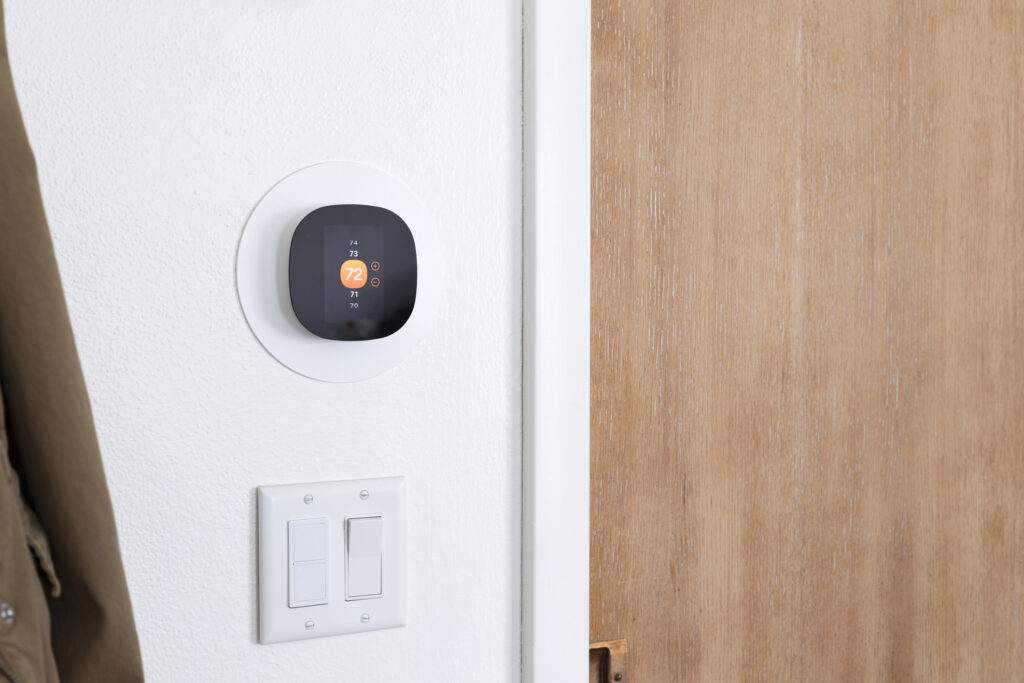
Humidistat Calibration for Consistent Indoor Moisture
Key Takeaways About Humidistat Calibration
Humidistat calibration means matching the control’s humidity reading to the actual room moisture level. This guide helps homeowners and property managers know when to check or call a technician for reliable indoor humidity control.
- Identify sensor offsets with a calibrated handheld moisture meter.
- Prevent buildup by gently cleaning the sensor element regularly.
- Avoid placement near supply vents direct sunlight or doors.
- Spot wiring or relay faults with basic voltage and continuity tests.
- Reduce unnecessary cycling by confirming setpoints and system response.
- Plan multi point measurements when problems persist across rooms.
Introduction
Humidistat calibration matters when indoor air feels clammy, dry, or causes condensation on windows. A misreading sensor can leave a home overly humid or too dry for comfort and health. Unbalanced humidity fuels mold growth, wood swelling, and static shocks that homeowners notice quickly. In some houses mechanical systems run but fail to control moisture because the control device gives wrong signals.
Many people blame the HVAC system when the humidistat is actually out of calibration. A sensor that reads two or three percentage points off will change run cycles and dehumidifier behavior. Technicians confirm setpoints and sensor accuracy to get the system responding correctly again. Homeowners often first see the problem as odors, damp carpet edges, or frequent thermostat tweaks.
Calibrating the humidistat aligns the sensor reading with actual room humidity so equipment runs when needed. That step helps avoid unnecessary compressor or fan runtime that wears parts and raises energy use. Proper calibration also protects finishes and stored belongings sensitive to moisture swings. For properties in Colleyville and beyond, small errors in control can lead to lingering issues that grow over months.
If symptoms point to poor humidity control, a technician inspects the humidistat, return grille location, and nearby airflow. They will also check the condensate drain line and evaporator coil for signs that the system struggles to remove moisture. Diagnostic readings and a written report guide the next steps to restore balanced humidity. In Euless, TX homes, getting setpoints and sensors correct often ends recurring moisture complaints.
How Humidistats Work And Why It Happens
Humidistats measure and control indoor relative humidity by sensing moisture and switching HVAC or humidification equipment accordingly.
- Sensor element detects water vapor level.
- Electronics convert that reading to a percentage.
- Setpoint compares desired humidity to the reading.
- Control output starts or stops equipment.
Most humidistats use a hygroscopic sensor that changes electrical resistance or capacitance with moisture level, which a circuit translates to a percentage reading. A homeowner often asks, “Why does my humidistat read differently than a handheld meter?” The common answer is that placement, sensor type, or wiring affects the reading compared to a nearby meter. Professionals check the sensor element and wiring to confirm the real indoor level before adjusting setpoints.
Airflow and mounting location strongly influence readings because sensors measure local conditions not whole-house averages. If a humidistat sits near a supply vent or in direct sunlight, it can read inaccurately and trigger unnecessary runs. Technicians describe their diagnostic steps: compare the humidistat reading with a calibrated moisture meter, inspect return grille placement, and review control wiring and relay operations. For installations or replacements, homeowners can learn more about proper placement and options from a humidistat installation resource.
Sensor drift happens over time as dust and age change a sensor’s response, so recalibration returns readings to match true humidity. A professional diagnosis includes taking baseline readings, documenting discrepancies, and testing system response when the unit calls for humidification or dehumidification. In a common situation, a homeowner notices window condensation and a tech then measures at the humidistat, checks the evaporator coil, and verifies the condensate drain.
Common Causes Of Humidistat Misreads At Home
Dust and grime collecting on the sensor element change its response over time and cause steady reading errors. Pets, cooking oils, and household cleaners accelerate buildup on the hygroscopic surface and alter resistance or capacitance. A visible film on the humidistat face often signals a need for cleaning before any calibration attempt. Technicians will remove covers and inspect for deposits that reduce sensor sensitivity.
Poor placement near supply vents, direct sunlight, or doorways produces readings that reflect local air not whole-house conditions. Placing a humidistat above a stairwell or next to a returns grille can bias readings during short cycling. Homes with uneven airflow due to closed dampers or blocked return grilles see sensor misreads more often. Professionals check grille locations and airflow patterns when diagnosing persistent discrepancies.
Wiring faults and loose terminals create intermittent or stuck readings that mimic sensor failure without actually harming the element. Corroded contacts or miswired relays can prevent the control output from reaching humidifiers or dehumidifiers. A simple voltage check across the control terminals and continuity test across the relay reveals those electrical problems. For humidifier health and wiring inspections, homeowners can review routine service guidance at humidifier maintenance.
Rapid temperature swings near the device confuse sensors that lack temperature compensation and cause brief misreads after HVAC cycles end. Transient vapor pockets from showers or cooking can spike local humidity for minutes, prompting false calls to equipment. Older sensors also drift with age and need recalibration or replacement when they no longer match a reference meter. In a common situation, a homeowner reports inconsistent readings and a technician then inspects mounting location, verifies wiring, and compares the humidistat to a calibrated meter.

Recognizing Warning Signs Of Incorrect Humidity Levels
Watch for signs that your home holds too much moisture, like persistent musty odors or peeling paint near ceilings and windows. Sudden condensation on double-pane windows in the morning often shows indoor air hitting saturation while the outdoor surface cools. Flooring cupping or soft spots at baseboards point to prolonged high humidity that can harm wood and finishes. In Colleyville houses, these signs can show up after long wet spells or when ventilation is limited.
Too-dry air creates other clues such as frequent static shocks and cracking trim or furniture joints that shrink over time. Houseplants wilting despite normal watering may indicate low relative humidity affecting transpiration. You might notice nasal irritation and dry skin worsening when the heat runs for long cycles. Homeowners in Euless, TX sometimes report these symptoms during extended heating periods.
Listen and look for equipment behavior that hints at control problems, like short cycling or long continuous runs with little humidity change. A dehumidifier or air-handler running constantly while indoor moisture stays high suggests the humidistat or sensor placement is wrong. Technicians diagnose by comparing the humidistat reading to a calibrated moisture meter and observing runtime while logging control outputs. They also inspect the return grille, evaporator coil, and condensate drain for signs of restricted moisture removal.
Visible streaking on drywall or dark spots near window frames often means localized condensation and poor airflow around the sensor location. If only certain rooms show problems while others stay stable, uneven airflow or misplaced sensors likely cause the mismatch. A professional confirms by measuring humidity at multiple points and checking relay operations at the control terminals. For homes needing whole-house moisture control upgrades, review the benefits of a whole-home dehumidifier to reduce persistent humidity problems.
Step By Step Humidistat Calibration Procedure
Begin by powering down the HVAC control at the thermostat or breaker and removing the humidistat cover to access the sensor. Carefully inspect the sensor element and terminals for dust, corrosion, or loose connections that could skew readings. Take a reference reading from a handheld moisture meter placed near the humidistat to compare percentages. If the meter and humidistat differ, note the offset before proceeding to adjustment.
- Record the current setpoint and displayed humidity.
- Compare readings with a calibrated handheld moisture meter.
- Gently clean the sensor with a soft brush or canned air.
- Tighten any loose terminal screws on the control board.
Adjust the humidistat using the manufacturer adjustment screw or internal calibration dial located behind the faceplate. Make small changes, typically one to two percentage points, then restore power and wait at least fifteen minutes for the sensor to stabilize. Re-check the humidistat reading and compare it again to the handheld meter to confirm the offset narrowed. Repeat small adjustments until the control matches the reference within one percentage point.
After calibration, observe the system response by forcing a call for humidification or dehumidification and watching equipment start and stop. Verify the humidifier or dehumidifier activates through the control terminals and that the evaporator coil or humidifier pad shows expected moisture behavior. Log the readings and actions taken for future reference so trends appear over seasons and service visits. Homeowners in Colleyville and Euless, TX should consider scheduling professional checks when sensor drift returns quickly or if wiring issues appear serious.
Tools Needed And Decision Points For Calibration
Start with a moisture meter, a small voltage tester, and a screwdriver set to access the humidistat mounting and terminals safely. Include a digital hygrometer for cross-checking and a soft brush to clear sensor dust without damage. A flashlight helps inspect wiring, and a basic infrared thermometer can reveal temperature biases near the sensor. Keep notes of readings and timestamps to track any drift during checks.
Decide whether to clean, recalibrate, or replace based on the size and consistency of the offset you measure against the reference meter. If the humidistat shifts less than two percentage points after cleaning, recalibration usually suffices for stable readings. When offsets persist despite correct wiring and stable placement, replacement may prevent repeated service calls. For homes showing repeated moisture issues, consider whole-house options to reduce long-term maintenance needs by consulting resources about moisture control for healthy homes.
Check wiring with the voltage tester before making adjustments and confirm relay continuity after any change to rule out electrical faults. If a technician suspects sensor heat bias, use the infrared thermometer to compare surface temperatures around the humidistat and return grille. A clear decision point is whether airflow or thermal bias causes the error, fix placement or airflow before spending time on repeated calibrations. In properties in Colleyville, placement fixes often stop recurring misreads without replacing the control.
Document the final readings, the chosen action, and any relay or terminal work to simplify future diagnostics and service visits. If you see inconsistent control outputs or equipment fails to start despite correct readings, a professional should perform advanced electrical tests. For help identifying thermostat or sensor problems leading to humidistat errors, review the guidance about thermostat sensor problem spotting. Homeowners in Euless, TX should call a trained technician when wiring issues or persistent offsets remain after these checks.
When To Call A Professional For Humidistat Calibration
If the humidistat shows large, inconsistent offsets after cleaning and simple checks, call a professional to avoid repeated tuning attempts. A technician will perform controlled diagnostics using a calibrated moisture meter and voltage checks at control terminals. They can also observe equipment response during forced calls and record relay behavior for later review. This level of testing reveals whether the control, wiring, or system operations cause persistent errors.
Call a pro when you notice equipment runs but humidity does not change despite correct display readings on the humidistat. A pro will inspect the evaporator coil, condensate drain, and humidifier pad to verify the system actually removes or adds moisture. They use a moisture meter and observe runtime patterns to confirm the control output produces expected results. Homeowners often need this step when simple calibration does not restore balanced humidity.
Contact a technician immediately if you find loose or corroded wiring, intermittent relay clicks, or if the humidistat fails to respond to adjustments. These signs indicate electrical faults that can prevent the humidifier or dehumidifier from activating even when the control reads correctly. A professional can perform safe voltage testing and continuity checks and repair or replace worn terminals. For a full explanation of what to expect from professional service visits, review details about what is included in a professional AC service.
If humidity problems persist in certain rooms, request multi-point measurements and airflow analysis from a pro to find placement or duct issues affecting the sensor. Technicians may test at return grilles, supply vents, and the humidistat location to map humidity variation throughout the house. For properties in Colleyville or Euless, TX this approach identifies whether localized conditions or whole-house systems need correction. Professional diagnosis helps homeowners choose the right corrective action and prevents unnecessary equipment replacement.
Validating System Response After Calibration Changes
After making calibration adjustments, monitor how the humidifier or dehumidifier responds over several HVAC cycles to confirm setpoint behavior. Watch for consistent starts and stops that align with the new setpoint and note any delayed or missed activations. If equipment runs but humidity does not move toward the setpoint, inspect the evaporator coil and condensate drain for restrictions that reduce moisture transfer. Record timed readings from the humidistat and a handheld moisture meter to document response over a few days.
- Log humidistat readings at regular intervals.
- Note equipment run times after each call.
- Check condensate drain flow visually.
- Measure humidity at multiple room locations.
Use multi-point checks to verify the control affects whole-house conditions rather than a single spot. Measure near the return grille, a supply vent, and a distant room to compare gradients and identify airflow issues. If readings diverge widely, adjust sensor placement or repair duct problems before further calibration. A technician may also perform IAQ testing to correlate humidity with other indoor air factors and provide a broader diagnosis.
Include an operational test where you force a call for humidification or dehumidification and watch relay activity at the control terminals. Confirm voltage presence with a basic tester and observe the humidifier or dehumidifier activate promptly when the relay closes. If relays click but equipment fails to run, investigate wiring continuity or component failure such as a stuck valve or blower issue. Documenting these checks helps a professional diagnose intermittent faults if problems return.
Recheck the calibrated offset after 24 to 72 hours of normal operation to ensure the sensor remains accurate under typical conditions. If drift reappears, cleaning or replacement of the sensor element may be necessary rather than repeated calibration. For persistent or complex issues, arrange professional diagnostic service so a trained technician can run controlled tests and supply a written report. Homeowners in Colleyville or those in Euless, TX should request multi-point logging when humidity control problems affect multiple rooms.
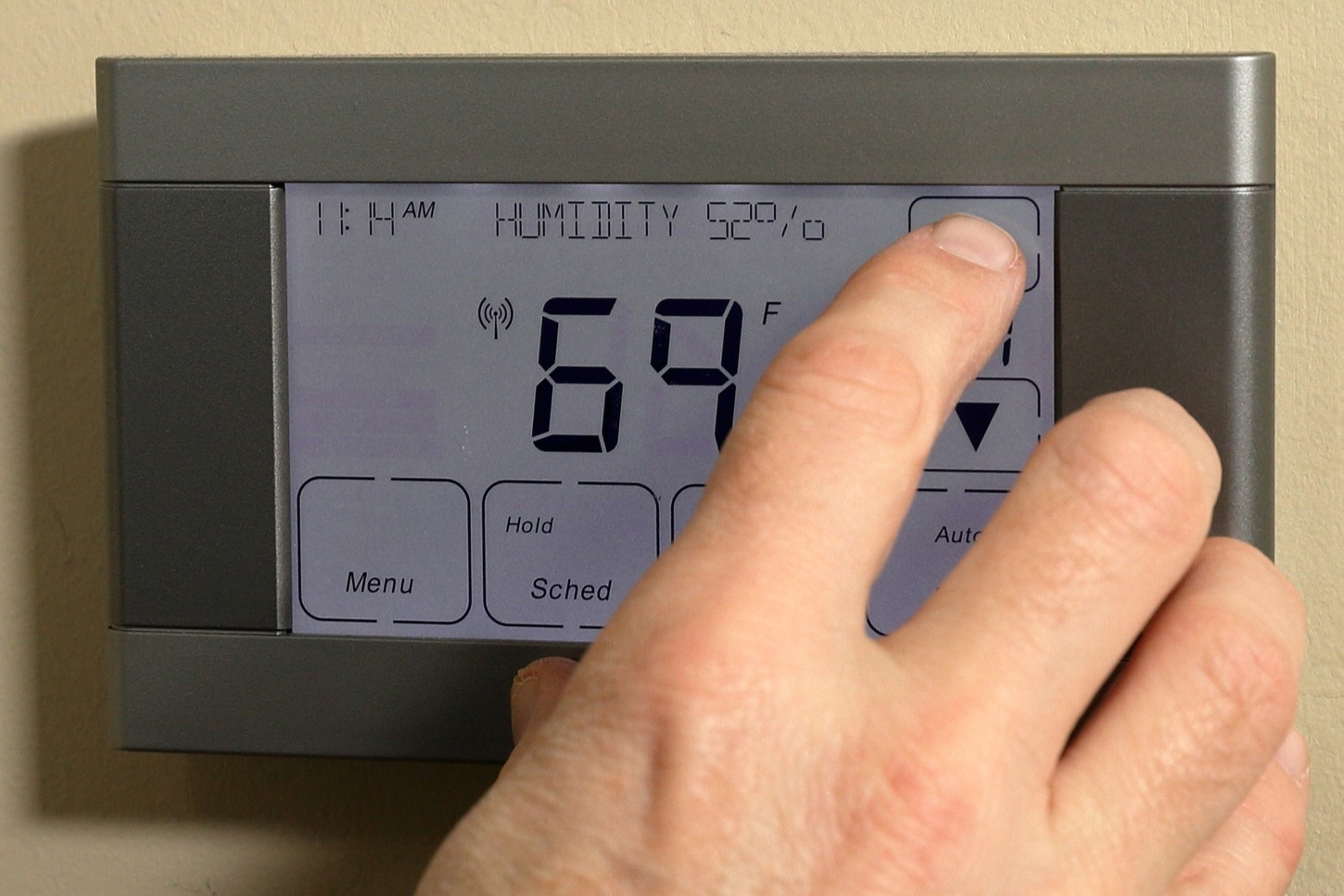
Preventive Maintenance To Keep Humidity Balanced
Schedule routine checks of the humidistat and nearby return grille every season to catch drift and placement issues before they worsen. During a check, record humidity readings with a handheld moisture meter at the control and a distant room to find trends. Inspect the sensor element for dust or film and clean gently using a soft brush or canned air if buildup appears. If the humidistat shows recurring offsets despite cleaning, note the frequency so a technician can evaluate replacement options.
Include operational tests in your maintenance routine by forcing a call for humidification and observing relay activity at the control terminals. Confirm the humidifier or dehumidifier starts promptly and that the evaporator coil and condensate drain show normal moisture transfer. Keep simple logs of setpoint, displayed humidity, and runtime to spot gradual performance declines across weeks. When logs show inconsistent responses, schedule a professional diagnostic for multi-point measurements and airflow assessment.
Monitor room-by-room humidity quarterly to detect developing imbalances that a single control cannot sense, and consider adding monitoring in problem areas. An air quality monitor can reveal localized spikes and help correlate humidity trends with occupancy or activities when combined with recorded data. For guidance on selecting monitoring tools and integrating them with system diagnostics, review the advice on air quality monitoring in HVAC. If persistent issues appear in living areas, homeowners in Colleyville should request multi-point logging from a technician.
Train household members on small preventive steps like keeping supply vents clear and avoiding placing humidistat covers near heat sources or direct sunlight. Check the condensate drain visually during service intervals and look for slow drainage or puddling that signals reduced moisture removal. If you notice electrical issues such as loose terminals or intermittent clicks, contact a professional to perform safe voltage and continuity tests. For systems in Euless, TX, regular preventive maintenance reduces the chance of recurrent humidity control problems that require major repairs.
Frequently Asked Questions
How do I know my humidistat needs calibration?
You may notice persistent dampness or dry air despite humidistat settings, which suggests inaccurate readings or sensor drift. Check for large differences between a handheld moisture meter and the humidistat display over several days. Listen for unusual system cycling or constant dehumidifier operation that does not match displayed setpoints. If readings stay off or you suspect wiring issues, caution: contact a qualified technician for humidistat calibration and safe diagnosis.
What steps are in a proper humidistat calibration?
Start by recording the humidistat reading and room relative humidity with a reliable moisture meter placed near the thermostat. Inspect the sensor, wiring, and mounting for dust, loose connections, or obvious damage before making adjustments. Adjust the humidistat setpoint, then run the dehumidifier or humidifier and monitor system response and meter readings over several hours. Caution: if you see electrical issues, water leaks, or inconsistent readings, contact a professional technician to diagnose and calibrate safely.
Can sensor placement affect humidistat calibration?
Yes, sensor placement changes local readings and can skew humidistat calibration if near drafts, vents, or direct sunlight.
Place the sensor where air mixes, away from supply registers, exterior walls, and appliances that produce moisture.
A technician will compare readings with a reference hygrometer and inspect return grille, ductwork, and sensor mounting during diagnosis.
If placement issues cause large errors or safety concerns with wiring, stop and contact a professional for correction and calibration.
How will calibration change equipment run times?
Proper humidistat calibration can change run times by stopping equipment from cycling too frequently when readings were off. Calibrated sensors let the system run only until the actual humidity setpoint is reached. That often increases runtime per cycle but reduces total cycles and wear on the compressor and fan. If readings still seem wrong after calibration, stop and call a professional to inspect controls and safety interlocks.
When should a pro perform humidistat calibration?
Schedule humidistat calibration during seasonal HVAC tune-ups or when indoor humidity feels consistently off from the setpoint.
Call a pro if you notice condensation on windows, musty smells, or frequent dehumidifier cycling.
A technician will check sensor accuracy, confirm setpoints, and test system response to avoid improper cycling.
If wiring or control faults exist, caution is needed, hire a professional to avoid electrical or refrigeration hazards.