

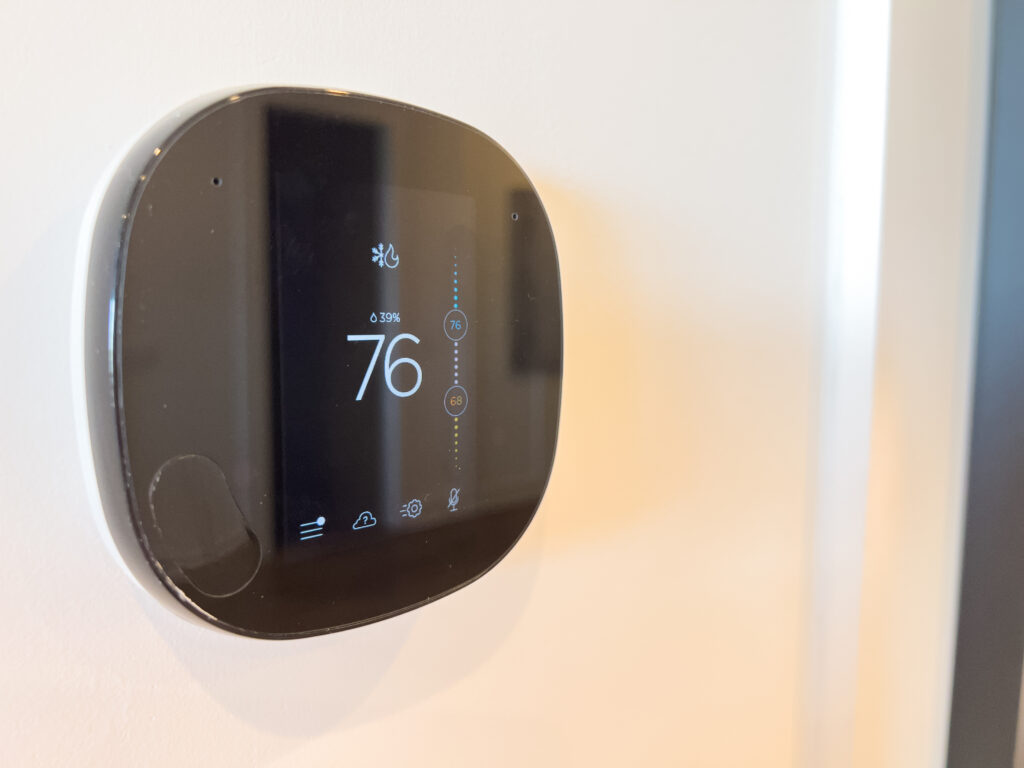
Thermostat Schedule Programming in Argyle
Key Takeaways About Thermostat Schedule Programming
Thermostat schedule programming sets temperature targets for different times to match daily routines and prevent abrupt HVAC behavior. This guide is for homeowners and property managers who want steadier comfort during regular occupancy and seasonal changes.
- Identify when rooms feel too warm or too cold during the day.
- Prevent short cycling by using gradual setpoint transitions over time.
- Avoid conflicts by disabling learning features while testing schedules.
- Spot sensor placement issues with handheld thermometer register checks.
- Reduce humidity and overshoot with longer properly timed cooling cycles.
- Plan seasonal reviews and runtime checks after major schedule changes.
Introduction
Thermostat schedule programming helps match heating and cooling to the way people actually live in their homes. Too many thermostats run on fixed cycles that make rooms too warm or too cold at the wrong times. That leads to uneven comfort, frequent thermostat adjustments, and wasted system runtime. A steady schedule reduces those disruptions and keeps daily comfort predictable.
Home routines in places like Argyle often include early departures, midafternoon returns, and evening activities that change temperature needs. When a thermostat schedule ignores those patterns, occupants notice drafts, loud system starts, and temperature swings. Those symptoms can make living spaces feel less comfortable even when equipment works correctly. Aligning schedules to routines addresses the root of the discomfort.
Programming the thermostat involves coordinating setpoints with occupancy and sleep times to avoid sudden system cycling. Proper schedules also reduce short starts that can cause audible fan noise and quick temperature overshoots. Noticeable signs include the system running long after people leave or kicking on briefly during mild outdoor temperatures. Fixing the schedule targets those behaviors rather than masking them with manual overrides.
For homeowners near Grapevine, TX and elsewhere, small schedule changes often improve daily comfort more than changing the equipment. A professional can confirm whether symptoms stem from programming, thermostat placement, or a mechanical issue with components like the blower motor or refrigerant line set. If a diagnosis points to programming, it is a low-disruption step toward steadier comfort. Scheduling a service visit helps homeowners get a clear assessment and recommended next steps.

How Thermostat Schedule Programming Works At Home
Thermostat schedule programming sets temperature targets for specific times to match daily activities and occupancy. Good programming shifts setpoints gradually to avoid sudden system starts and long runtime. Homeowners often ask if programming can stop temperature swings, and yes, correct timing reduces abrupt cycling and improves steady comfort. Proper schedules also limit manual overrides that confuse learning thermostats and create inconsistent behavior.
- Set weekday and weekend routines separately.
- Use setback periods during long absences.
- Program gradual transitions around occupancy changes.
- Keep sleep setpoints steady for comfort overnight.
Every thermostat type stores schedules differently, so locate the schedule menu before making changes. Digital thermostats use time blocks while smart thermostats may suggest routines based on activity, which you can edit. If the thermostat reports incorrect room temperatures, a professional can check sensor placement and calibration. For help spotting sensor issues, see the troubleshooting guide for thermostat sensor problems.
Successful programming considers supply and return airflow to prevent rooms from lagging behind setpoints. If a room stays cold or hot despite schedule changes, a technician may inspect the blower motor, return grille, and duct balancing. A simple diagnostic check uses temperature readings at the return and supply registers to confirm airflow and response. This step helps determine whether the schedule or hardware causes the comfort issue.
Small homes with predictable routines benefit most from clean schedules that avoid frequent setpoint changes during the day. In a common situation, occupants who leave early and return late notice temperature swings and loud compressor starts in the afternoon. A professional would check runtime logs, thermostat event history, and register temperatures to confirm schedule-related causes. After confirming, they recommend schedule edits and, if needed, minor duct or sensor adjustments for steadier comfort.
Identifying Routine Mismatches Causing Comfort Swings
Start by observing when rooms feel too warm or too cool compared to the schedule. Note time of day, which rooms, and whether doors or windows were open during those periods. Listen for short cycling, long fan runs, or sudden compressor startups that coincide with schedule transitions. These details help identify whether the problem comes from timing or from system response lag.
Compare actual occupancy patterns against programmed setpoint blocks to find mismatches with daily routines. Check morning, away, and evening blocks for setpoints that change too abruptly or at the wrong time. Also inspect whether weekend schedules truly reflect weekend activity or simply copy weekday blocks that cause repeated overrides. Small time shifts often fix large comfort swings when the schedule aligns with people movement.
Look for sensor and placement clues that can mimic scheduling problems, such as a thermostat reading a hallway rather than living space temperatures. A technician would confirm with register temperature readings and by checking the thermostat sensor output against a handheld thermometer. They might also review runtime logs or event history to see if the system responds when the schedule commands a change. If wiring or sensor reports are inconsistent, a check of thermostat connections like the C-wire becomes relevant for reliable control.
Identify doors, blinds, and appliance use that change load patterns at specific times and make the schedule account for them. For example, afternoon sun on west-facing rooms can cause the thermostat to delay cooling, so shifting setpoints earlier prevents overshoot. In a common situation, occupants notice a sudden warm spike after returning from errands, a professional would measure supply and return temperatures and inspect the blowerto verify the system can meet the adjusted schedule. Use those inspection outputs to decide whether to tweak timing, raise setback durations, or request a deeper airflow or control check.
Why Schedule Conflicts Happen With Smart Thermostats
Smart thermostats use multiple inputs and algorithms that can conflict with user expectations when those inputs change unexpectedly. Adaptive learning modes, geofencing, and occupancy sensing may shift setpoints without explicit user edits, causing the thermostat to act differently than the programmed time blocks. These automated adjustments often create apparent schedule conflicts when people assume the visible schedule is the only control. Check the device’s activity history or event log to see when automatic actions happened and why.
Another common cause lies in mismatched sensor inputs and placement that make the thermostat respond to a different room than intended. Remote sensors, door sensors, or inaccurate temperature readings can trigger changes outside the main schedule events. A technician would compare the thermostat’s sensor reading to a handheld thermometer at supply and return registers to confirm which input the control is following. That diagnostic step clarifies whether the problem comes from sensing or from the schedule itself.
Integrations with smart home systems and HVAC equipment limits can also produce conflicts between scheduled setpoints and system capabilities. For example, a heat pump defrost cycle or a forced delay for compressor protection may override a scheduled call for cooling. Reviewing runtime logs and compressor lockout timers helps a professional determine if the equipment prevented the thermostat from reaching the setpoint. If the equipment enforced safety limits, the solution focuses on timing changes rather than fighting those built-in protections.
Users often create conflicts by manually overriding the schedule without using the hold feature correctly, which can confuse learning thermostats and automated routines. Understanding when to use a temporary hold versus editing the permanent schedule prevents recurring mismatches and unintended behavior. For a clear explanation of temporary holds and proper use, see the guidance on the thermostat hold feature. In Argyle and properties near Grapevine, TX, homeowners who follow hold best practices reduce repeated schedule conflicts and achieve steadier comfort.
Step By Step Thermostat Schedule Programming Guide
Begin by picking the days and blocks that match actual household activity rather than default presets. Set clear wake, away, return, and sleep times that reflect when people enter and leave rooms. Use gradual setpoint changes of two to three degrees to prevent sudden compressor starts and long fan runs. Confirm the thermostat clock and weekday/weekend mode to avoid unintended shifts on specific days.
- Record actual departure and arrival times for a week.
- Set wake and sleep blocks consistently each day.
- Use away blocks for long absences only.
- Allow a short transition period before occupancy.
- Keep setback changes small to avoid overshoot.
Next, enter the determined times into the schedule menu and assign comfortable setpoints for each block. If available, disable learning or geofencing while you test the new times to isolate schedule behavior. Check that remote sensors or zoned inputs are assigned to the correct block to prevent a hallway sensor from controlling living areas. Verify the thermostat shows the active block at the intended times during a full day of testing.
Perform simple runtime checks after programming to confirm steady comfort across rooms and times. Measure supply and return register temperatures near transitions to see if airflow meets setpoint demand. If rooms lag behind the setpoint, a professional can inspect the blower motor and ductwork balance for physical causes. For staged changes and smoother transitions between setpoints, consider reading guidance on thermostat staging and comfort transitions before finalizing settings.
When To Adjust Schedules Based On Seasonal Changes
As seasons shift, adjust daily setpoints to match changing outdoor loads instead of relying on the same weekday and weekend times. Move wake and return times earlier or later when daylight hours change to prevent the system from playing catch up during peak sun or evening cooling. Monitor supply and return register temperatures during the first week after changes to confirm the system meets the new timing. If the thermostat shows unexpected sensor readings, schedule a wiring or sensor check to verify reliable control.
When humidity rises in the warmer months, add a slight cooling bias or start cooling earlier in the day to avoid late-afternoon spikes in indoor humidity and temperature. A professional can inspect the condensate drain line and evaporator coil if moisture odors or visible dampness appear during transitions in schedule behavior. For homes with remote sensors, reassign which sensor controls the living block if sun exposure makes one sensor read higher temperatures. For wiring concerns that affect sensor reading or power, consider a thermostat wiring inspection in Bedford to confirm C-wire continuity.
In cooler months, lengthen the transition periods between away and occupied blocks so the heat source runs gradually and avoids short cycling. Check furnace or heat pump runtime logs for repeated short cycles after seasonal schedule changes to see if equipment limits intervene. If supply plenum or return grille temperatures lag during morning warm-up, have a technician inspect the blower motor and duct balancing. Simple adjustments to timing often solve comfort swings without altering temperature setpoints drastically.
For properties near Grapevine, TX and Argyle, plan seasonal schedule reviews when daylight saving changes or major temperature shifts occur to stay ahead of comfort problems. Keep a short checklist of observable cues like odd noises, longer runtimes, or uneven room temperatures to guide when to tweak the schedule. If automated features or geofencing contradict manual blocks after seasonal edits, disable those features while testing the new routine. A professional can then review event logs and register readings to confirm the schedule provides steadier comfort.
Common Programming Mistakes And How To Fix Them
One common error is leaving adaptive learning or geofencing active while testing a new schedule, which causes the thermostat to change setpoints unexpectedly during verification. Turn off those automatic features temporarily to see how the programmed blocks operate by themselves, and watch the device’s active block indicator during transitions. If the thermostat loses power or behaves erratically after edits, a technician will check wiring and power continuity, including C-wire connections, to confirm stable control. For guidance on safe wiring checks and basic wiring concerns, review thermostat wiring basics and safety before attempting manual interventions.
Another frequent mistake is assigning remote sensors or zone inputs to the wrong block so a hallway sensor controls the main living block. Reassign the sensor to the correct time block and observe whether the living area follows the intended schedule rather than the sensor location. If sensor readings and thermostat display differ, a professional will compare sensor outputs with a handheld thermometer and inspect sensor wiring at the thermostat. These checks reveal whether the problem is a misassignment, a faulty sensor, or a wiring fault requiring repair.
Homeowners often set transition times too short, causing the system to overshoot or short cycle when occupancy starts abruptly without gradual temperature change. Extend transition windows by 15 to 30 minutes and use smaller setpoint steps to reduce sudden compressor starts and long fan runs. If rooms still lag after adjusting transitions, a technician can measure supply and return register temperatures and verify blower speed and duct balance to determine airflow limitations. The diagnostic readings help decide whether timing or mechanical adjustments will stabilize comfort.
Failing to verify weekend or holiday blocks leads to repeated overrides that confuse learning thermostats and create inconsistent behavior across days. Check each day’s schedule individually and run a full-day test while occupants follow normal routines to confirm the active blocks match expectations. When event logs show unexpected activity, a professional will review the thermostat history and runtime reports to diagnose conflicts between scheduled blocks and automated inputs. For homes near Grapevine, TX and occupants in Argyle, this level of verification prevents recurring mistakes and keeps schedules aligned with real routines.
When To Call A Professional For Schedule Issues
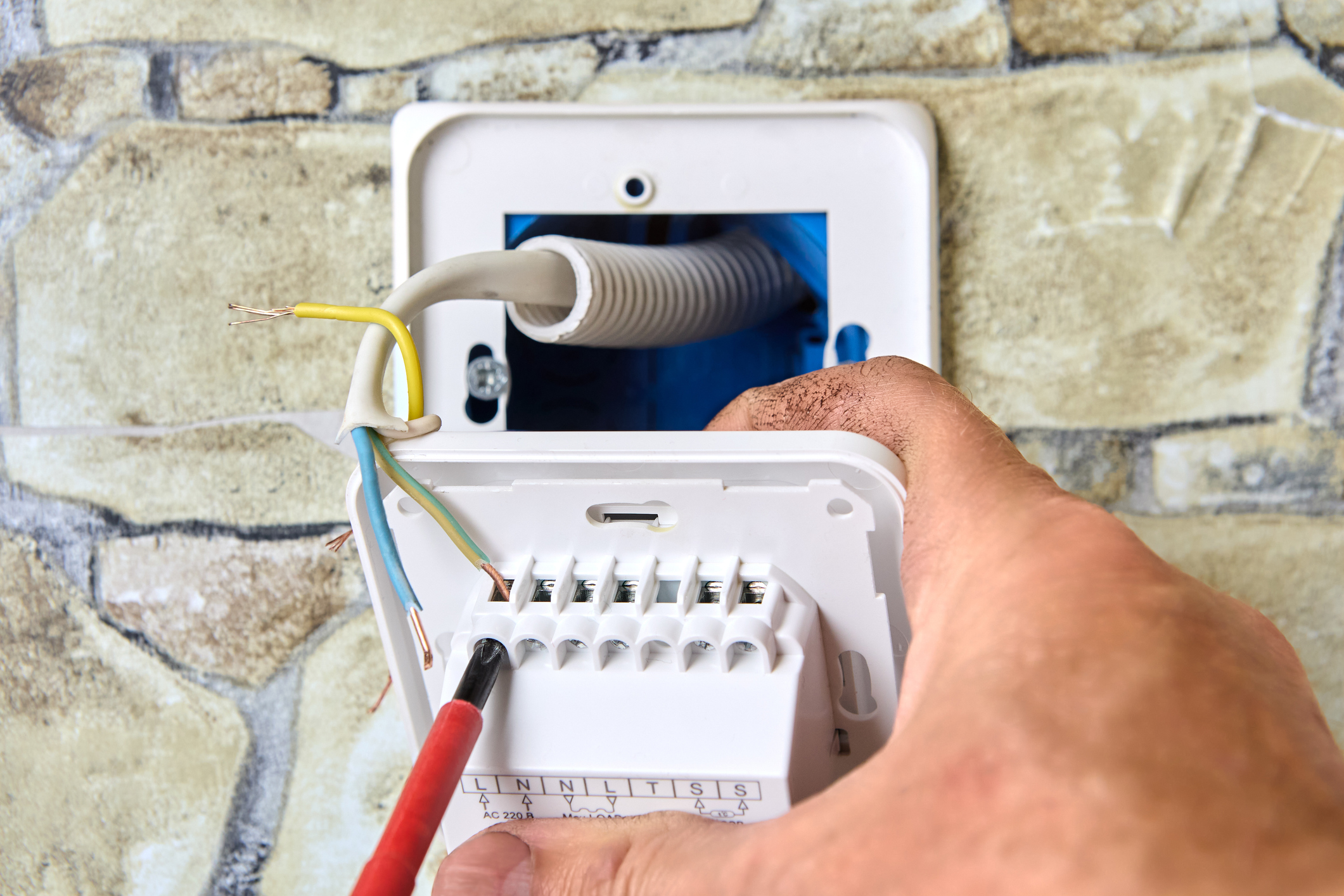
If schedule edits fail to stop repeated overrides or odd runtime behavior, call a professional to diagnose persistent control conflicts. A technician will review thermostat event logs and system runtime history to identify unseen automatic actions or repeated manual holds. They will also inspect thermostat wiring and confirm C-wire continuity to eliminate power-related resets or erratic behavior. In Argyle, homeowners often need this step when automated features and manual schedules keep contradicting each other.
- Verify thermostat event history.
- Check thermostat wiring and power continuity.
- Compare sensor readings with a handheld thermometer.
- Inspect blower operation and register temperatures.
If equipment sounds unusual during scheduled transitions, a professional should check mechanical components that affect schedule performance. A technician will listen for short cycling, compressor clatter, or extended fan noise and then inspect the heat exchanger, contactor, and blower motor. They will take supply and return register temperatures to confirm airflow and response to scheduled setpoint changes. Those measurements help decide whether the issue is programming or mechanical.
When smart features behave unpredictably, a specialist can safely reset and reconfigure learning modes without losing homeowner preferences. The professional will disable and then test geofencing, learning, or occupancy sensing while observing the programmed blocks alone. After isolating the behavior, they will re-enable trusted features and document which automated inputs affected the schedule. For help with device setup and controlled testing, see guidance on smart thermostat setup.
If uneven temperatures persist despite correct programming and sensor checks, request a system performance inspection focused on airflow and zone balance. A technician will measure static pressure, inspect duct joints, and check damper positions when applicable to locate airflow restrictions. They may produce a simple written report of readings and recommended actions so homeowners can decide next steps. For recurring problems near Grapevine, TX, this diagnostic approach clarifies whether further ductwork or control changes will improve steady comfort.
Energy Savings And Comfort Benefits From Consistent Schedules
Consistent thermostat schedule programming reduces runtime spikes and helps HVAC systems operate closer to steady-state conditions during occupied periods. When the system runs smoothly, it avoids frequent compressor starts that produce noticeable noise and thermal overshoot in rooms. Homeowners often report fewer temperature swings and quieter cycles after they maintain steady daily setpoints. A technician can verify reduced cycling by reviewing runtime logs and recorded on/off events from the thermostat.
Maintaining predictable setpoint transitions improves comfort in rooms that respond slower due to duct runs or zoned dampers. Gradual changes let the blower motor and supply plenum bring conditioned air to distant registers without abrupt compressor engagement. Professionals confirm improvements by measuring supply and return register temperatures and comparing pre- and post-programming readings. In a common situation, a homeowner notices the upstairs stays more even after extending transition windows by 15 minutes.
Steadier schedules also support humidity control because equipment avoids short, ineffective cycles that fail to remove moisture from the air. Longer, properly timed cooling cycles let the evaporator coil condense and drain more moisture, reducing sticky or clammy feelings in living spaces. A technician will inspect the condensate drain line and evaporator coil if humidity problems persist despite good scheduling. For guidance on fine-tuning smart features that affect those cycles, consult the smart thermostat settings documentation.
Over time, consistent programming simplifies troubleshooting when performance issues arise because event histories show expected behavior rather than erratic holds or auto adjustments. When a professional diagnoses remaining problems, they compare thermostat logs, register readings, and component operation to separate programming causes from mechanical faults. For properties in Argyle and near Grapevine, TX, this approach speeds resolution and helps homeowners decide whether ductwork, sensor placement, or control changes are needed. Clear records of schedule behavior also help technicians recommend targeted fixes with confidence.
Frequently Asked Questions
How does thermostat schedule programming reduce temperature swings?
Thermostat schedule programming smooths temperature swings by matching setpoints to daily occupancy and activity patterns. It reduces HVAC short-cycling by keeping steady setpoints during longer occupied periods. Professionals diagnose remaining swings by checking thermostat placement, airflow, and return grille temperatures during a site visit. If you notice unsafe combustion smells or persistent cycling, stop system use and call a professional for inspection.
When should I adjust schedules for seasonal changes?
Adjust schedules at the start of each season and when daylight or household routines change noticeably. Check mornings and evenings for two weeks after adjustments to ensure steady comfort and energy use. If you notice unusual HVAC noises, smells, or large temperature swings, pause changes and call a professional for inspection. For complex systems or safety concerns around heat equipment, schedule a technician to confirm settings and system health before major seasonal shifts.
Can smart features interfere with my programmed schedule?
Yes, smart features can override your set times by learning preferences, responding to geofencing, or following weather-based adjustments. These changes often improve comfort or efficiency but can shift your original Thermostat schedule programming. Review app settings and disable learning or geofence options if you want strict adherence to a manual schedule. If the thermostat behaves unpredictably or shows error codes, turn it off and call a professional for diagnosis to avoid system damage.
How do I confirm rooms respond after changing the schedule?
After updating your thermostat schedule programming, watch each room for 30–60 minutes at the next setpoint change to verify temperature movement. Check supply vents for warm or cool airflow and listen for the system starting or stopping as expected. Use the thermostat’s local temperature reading and a handheld thermometer at the room return to confirm at least a 2–3 degree change over the cycle. If rooms don’t respond or you notice odd smells or noises, stop testing and call a professional for diagnosis and safety checks.
What steps does a pro take to diagnose schedule vs. hardware issues?
A pro first reviews the thermostat schedule programming and event logs to confirm setpoints and timing match homeowner routines. They observe system response at those scheduled times, listening for unusual sounds and checking airflow and temperature change. Next they inspect thermostat wiring, transformer voltage, and furnace or air handler controls while cautioning homeowners to avoid live terminal contact. If settings and wiring look correct, they run diagnostic tests on the control board and refrigerant/heat components or recommend professional repair.